


Office Ergonomic Evaluation: A Business Guide
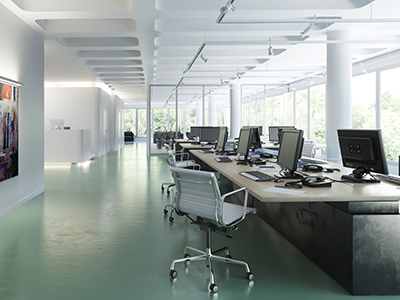
In today’s fast-paced business world, productivity is critical to success. As a business owner, you constantly seek ways to improve efficiency and output. But have you considered the impact of your office environment on your employees’ performance? Enter the office ergonomic evaluation – a powerful tool that can transform your workplace into a hub of comfort, health, and productivity.
Understanding Office Ergonomic Evaluations
Before we dive into the how-to, let’s clarify what an office ergonomic evaluation entails. It’s a comprehensive assessment of your workplace environment, focusing on how employees interact with their physical surroundings. Ergonomics includes everything from desk setups and chair heights to lighting conditions and noise levels. The goal? Identify and address potential issues that could hinder your team’s performance or put their health at risk.
Why Should You Care?
As a business owner, you might wonder why you should invest time and resources into ergonomics. The answer is simple: it directly impacts your bottom line. Proper ergonomics can lead to:
- Increased productivity
- Reduced absenteeism
- Lower healthcare costs
- Improved employee satisfaction and retention
Now that we’ve established the importance of ergonomic evaluation let’s walk through the process of conducting an effective office ergonomic evaluation.
Step 1: Prepare for the Evaluation
Before you begin, it’s crucial to set clear goals and objectives. What do you hope to achieve with this evaluation? Are you looking to reduce reported discomfort, increase productivity, or comply with safety regulations? Identifying your goals will help guide your assessment process.
Next, gather the necessary tools. These may include:
- Ergonomic assessment checklists
- Measuring tape
- Camera (for documentation)
- Notepad or digital device for recording observations
Step 2: Assess the Workstation Setup
The heart of any office ergonomic evaluation lies in assessing individual workstations. Here’s what to look for:
- Desk and Chair Height: Employees should be able to sit with their feet flat on the floor and knees at a 90-degree angle.
- Monitor Position: The top of the screen should be at or slightly below eye level, about an arm’s length away.
- Keyboard and Mouse Placement: These should be at a height that allows the user’s elbows to bend at a 90-degree angle.
- Lighting: Check for glare on screens and ensure adequate lighting for tasks.
- Noise Levels: Assess if excessive noise could be distracting or stressful.
Step 3: Involve Your Employees
Remember, your employees use these workstations day in and day out. Their input is invaluable. Conduct brief interviews to understand their comfort levels, any pain points they experience, and their ideas for improvement.
Step 4: Analyze Your Findings
Once you’ve gathered all the data, it’s time to analyze. Look for common issues across workstations. Are multiple employees reporting the same discomfort? Is there a pattern of poor posture due to ill-fitting furniture? Identifying these trends will help you prioritize your interventions.
Step 5: Develop and Implement Solutions
Based on your analysis, develop a plan of action. Implementation solutions might include:
- Adjusting existing furniture and equipment
- Purchasing new ergonomic chairs or standing desks
- Providing ergonomic accessories like keyboard trays or monitor arms
- Improving lighting or reducing noise levels
Remember, not all solutions need to be expensive. Sometimes, simple adjustments make a big difference.
Step 6: Provide Training
Equipping your workspace with ergonomic furniture is only half the battle. Your employees must understand how to use their workstations properly to reap the benefits. Creating employee understanding is where ergonomic training comes in.
Proper training ensures that your investment in ergonomic improvements pays off. It empowers your employees to take control of their comfort and health, providing long-term benefits for both them and your business.
Step 7: Follow Up and Continually Improve
An effective office ergonomic evaluation is more than just a one-and-done deal. Schedule regular follow-ups to ensure that the changes you’ve implemented are working and to address any new issues that may arise. This ongoing attention to ergonomics demonstrates your commitment to your employees’ well-being and helps foster a workplace culture of health and productivity.
Bringing in the Experts
While this guide provides a solid foundation for conducting an office ergonomic evaluation, sometimes it’s beneficial to bring in professional expertise. Companies like E3 Consulting specialize in comprehensive ergonomic assessments and can provide tailored solutions for your workplace needs.
E3 Consulting’s approach goes beyond just evaluating physical setups. We consider the holistic well-being of your employees, integrating ergonomics with overall health and wellness strategies. Our customized programs can help you create a workplace that minimizes physical strain and promotes overall employee engagement and satisfaction.
Conducting an effective office ergonomic evaluation is a proactive step toward creating a more productive, healthy, and engaging workplace. By identifying and addressing ergonomic issues, you’re not just preventing potential injuries but investing in your employees’ comfort, health, and job satisfaction. This investment, in turn, translates to higher productivity, lower turnover rates, and, ultimately, a more robust bottom line for your business.
Remember, ergonomics is not a one-size-fits-all solution. Every workplace is unique, and so are its ergonomic needs. Whether you conduct evaluations in-house or partner with experts like E3 Consulting, the key is to make ergonomics an ongoing priority in your business strategy.
By doing so, you’re not just optimizing your workspace – you’re creating an environment where your employees can thrive, innovate, and drive your business toward tremendous success. Now, that’s a smart business move.


